
Key Takeaways
- Model Context Protocol (MCP) is the industry-standard protocol that allows AI agents to connect to each other independently.
- Adding an MCP server to your AI-powered knowledge base significantly expands the functionality of your AI agents.
- MCP compatibility allows for smarter AI agents, better decision-making, and even more robust responses.
- Always keep security and management in mind, to get the most from an MCP server.
What Is the Model Context Protocol (MCP)?
Simply put, the Model Context Protocol is an open standard created by Anthropic which creates a single set of communication protocols that allow AI agents to autonomously contact outside services and software tools.
Previously, machine-to-machine connections were typically handled by APIs – Application Programming Interfaces. APIs provided instructions allowing one type of hardware or software to connect to other specified items. For example, APIs tell your computer’s operating system how to ‘talk’ to your graphics card or network interface.
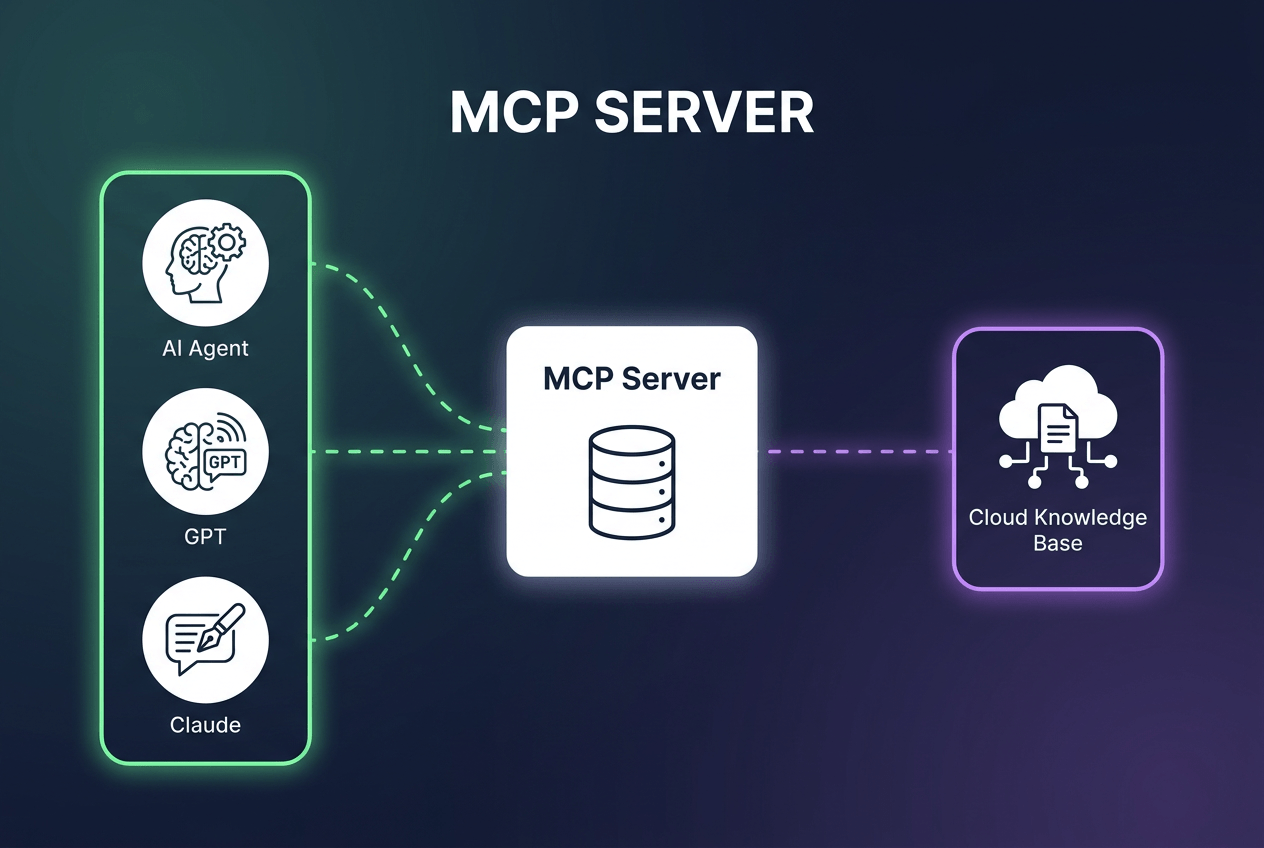
However, AIs presented a novel problem: making an agnostic system which allows virtually any AI-powered tool to talk to any other AI tool. That’s what MCP does. Any AI system hosting an MCP server can connect to any other MCP server, allowing their AIs to communicate and make use of each others’ tools.
This includes standard protocols for querying what a particular server can do, as well as maintaining system security when connections are made.
Why Do Enterprises Need an MCP Server for Their Knowledge Base?
Knowledge is changing rapidly!
For many businesses, it’s no longer sufficient to rely on a static knowledge base which is maintained entirely by human review and oversight. Your knowledge management system needs more automation to keep up.
As one example, operations in heavily-regulated industries such as biomed have to deal with a huge range of regulations which change quickly, especially for multinational businesses. If they rely on human intervention to keep all regulatory requirements and related SOPs up to date, that knowledge can easily become unreliable – leading to avoidable legal issues.
AI-powered knowledge bases with MCP connectivity solve such problems.
An MCP-enabled AI agent can go beyond your internal KB and seek information – as directed – to fulfill more goals. In this case, the AI could monitor legislative sites for signs of new regulations being passed.
Or as another example, imagine a call center agent dealing with a tricky conflict between the company’s software and a particular piece of user hardware. An MCP-enabled AI could potentially query the hardware manufacturer for more technical details, factoring in that new knowledge when providing suggestions to the agent.
MCP can also be used to give AI agents more autonomy. A programming AI, given a challenge it can’t overcome with its current knowledge set, could query other programming AIs to solve the problem without the need for human intervention.
MCP empowers your AI agents to be much more robust, and more capable of independently achieving goals, than ever before.
How to Deploy an MCP Server for Your Knowledge Base
While deploying an MCP server requires a small amount of technical knowledge, it’s not difficult. Details will vary depending on the exact goals you intend to achieve, but in general the process looks like this:
1 – Choose an MCP Client
There are numerous MCP client options on the market, such as the Claude Desktop App or MCP Inspector. The client is what allows your local AI-powered KMS to connect securely to remote MCP-enabled servers. Since MCP is a standardized protocol, their functionality will be roughly the same.
If in doubt, Claude is a fine choice, since it was developed by the same company – Anthropic – which created MCP.
2 – Get an API Key
The API key is part of the authentication process, and you should be able to get it from the settings of your KMS system. Any MCP-ready AI software will have readily-available authentication tokens.
3 – Update the MCP’s config.json file
Unless your MCP client has an advanced interface, you may have to do a bit of manual config file editing. You just need to add the API key into the config file; there should be a defined section specifically for placing keys to be used.
4 – Verify the connection
At this point, your AI should be ready to utilize MCP connections. Use your client to verify connectivity, or open up your KMS software and see what tools are available.
5 – Verify your security
MCP can potentially open up new security vulnerabilities; be sure your security is ready for new challenges. We’ll talk about security more in the next section.
6 – Get to work
Once the MCP client and outside servers are talking, and your AI KMS is hooked in, you should be ready to go. At this point, your AI agents should automatically make use of external resources, as directed and within your own security settings.
How To Manage and Monitor Your MCP Server in Production
Once your MCP server is in place, it still needs regular oversight and management. Security will be a primary concern, as well as monitoring usage to improve the system as it’s used.
I. Security Management
MCP can introduce new security threats, since it’s possible for malicious AI agents to abuse the system. For example, they could make queries to your system in hopes of tricking your AI into giving them privileged access. Or, they might attempt to inject malicious code. In general, you should:
- Configure for least-privilege access. Any incoming connections should be read-only and have short-lived authorization tokens.
- Isolate your server. It’s a good idea to run your MCP server in a sandbox with no direct connection to other data assets.
- Keep humans in the loop. Require explicit human approval for any activities that could be dangerous such as sending emails or deleting files.
- Validate all inputs. Don’t ever allow incoming connections to pass data directly without it being scanned. Validating queries from your own AI would be a good idea as well.
- Maintain proper authorization security and guardrails on your own AI, so it can’t be subverted by users or outside actors.
II. Knowledge Management and Maintenance
MCP is a new standard, and best-practice methods of managing it are still being developed. Here are a few suggestions we have based on our own experience helping global companies deploy AI-driven KMS systems.
- Tool discovery. MCP is supported by literally thousands of servers and applications, so discovering the right tool for your job can be challenging. We suggest relying on manual discovery and creating a white list of approved/recommended tools, rather than solely leaving it up to your agents and AI to find tools for themselves.
- Monitor ongoing usage. What tools are/aren’t used? Dig into why your workforce are making usage choices, and look to update the system to match their usage patterns.
- Track AI queries. What prompts does your AI use when interacting with other systems? Keep an eye on its behavior, especially if the results you’re getting seem unreliable. The issue could be bad prompts from your AI, rather than an external problem.
- Develop KPIs for the MCP itself. These aren’t business KPIs, rather performance metrics for MCP usage. For example, response time. Your AI agents should prioritize connecting to tools with low latency and fast response time. Likewise, track error rates and see if they correlate to specific MCP tools, so you can cut out tools which prove unreliable.
- Log everything. Especially in the early days of deployment, you want as much data logged as possible, even if it can be difficult to sort through. Later on you can look to streamline this aspect, once the wrinkles have been ironed out.
Frequently Asked Questions
The biggest difference is that traditional APIs are hand-coded and typically set up to provide connections between specific pieces of hardware and/or software.
MCP is an all-purpose communication protocol allowing AIs to connect autonomously to other systems, without the need for targeted coding or configuration. MCP utilizes dynamic discovery, so it’s even possible for the AI itself to find new tools, as necessary, while maintaining your security policies.
True expertise isn’t typically needed unless you plan on doing a lot of customizing. However, you do need to be comfortable modifying some basic aspects of your AI KMS setup, such as your config.json file. The technical documents you receive with your software should cover everything.
MCP does introduce potential new security threats. Management should be granular and role-based. Do notgive your MCP a “god mode” authorization token that allows it to pass through any AI connections automatically; you still need to retain oversight of the process to ensure no malicious AI agents slip in with falsified tokens.
MCP has become widely-adopted in a very short amount of time. It currently works with most major AI products – including ChatGPT, Claude, Copilot, and Gemini. In addition, literally thousands of independent AI apps support it. Whatever AI tools you currently use, they probably support MCP.
Conclusion: MCP Support Makes Your AI Agent Even Smarter
There are challenges when moving towards AI-powered knowledge management, but they’re worth overcoming. AI KMS combined with MCP access can create an exceptionally ‘smart’ knowledge system which provides crucial support for everyone in your organization, from tech support agents to C-level managers.
KMS Lighthouse can make the changeover easy! We’ve worked with businesses around the world to streamline their knowledge management, and our new MCP server support makes KMS Lighthouse even more powerful.To learn more about how KMS Lighthouse can bring you the next generation of knowledge management, just contact us – or schedule a free demonstration!


