What’s in This Guide
- Knowledge Management System Definition & Purpose
- Why Knowledge Management Matters More Than Ever
- Key Features of a Modern Knowledge Management System
- Benefits of Implementing a KMS
- Common Use Cases Across Departments
- Knowledge Management Onboarding Process
- Self-Service Tools: Empowering Users With Knowledge
- Integrating a KMS With Your Existing Tech Stack
- Knowledge Management Best Practices
- Common Knowledge Management Challenges (and How to Solve Them)
Knowledge Management System Definition & Purpose
A knowledge management system (KMS) is a centralized, structured platform designed to capture, store, organize, and distribute knowledge throughout an organization. Its core function is to make valuable information easily accessible and actionable for anyone who needs it—employees, managers, support agents, external partners, or even customers. By acting as a single source of truth, a KMS helps eliminate confusion, reduce duplication of effort, and promote consistent communication across all teams and channels.
Unlike a traditional database, which simply houses raw data, a knowledge management system provides meaningful context. It connects documents, guides, FAQs, videos, and other resources into logical categories that reflect how people actually search and work. Users can locate answers through intelligent search, browse relevant topics, or receive suggested content automatically based on behavior or workflow triggers.
Whether someone is onboarding a new hire, troubleshooting a product issue, preparing for a sales call, or updating a policy, the KMS delivers the right information at the right time. It serves as a living, continuously updated library of institutional knowledge. This makes it a foundational tool for improving efficiency, driving collaboration, and preserving expertise—especially as teams grow, change, or operate remotely. In short, a well-implemented KMS supports faster decisions, better service, and a more informed workforce.
Types of Knowledge Managed
An effective knowledge management system deals with multiple types of knowledge:
- Explicit Knowledge: This is formal, structured information that’s easy to write down and share. Examples include manuals, policies, and FAQs. It forms the backbone of any KMS.
- Tacit Knowledge: More nuanced and experiential, tacit knowledge includes things like a veteran employee’s problem-solving instincts or a manager’s decision-making process. While harder to document, it can be captured through case studies, interviews, and mentorship programs.
- Implicit Knowledge: This refers to knowledge that hasn’t yet been documented but can be. It lives in processes, informal chats, or work habits, and can be made explicit through observation and documentation.
By accommodating all three types, a knowledge management system serves as a living repository that evolves alongside the organization.
Why Knowledge Management Matters More Than Ever
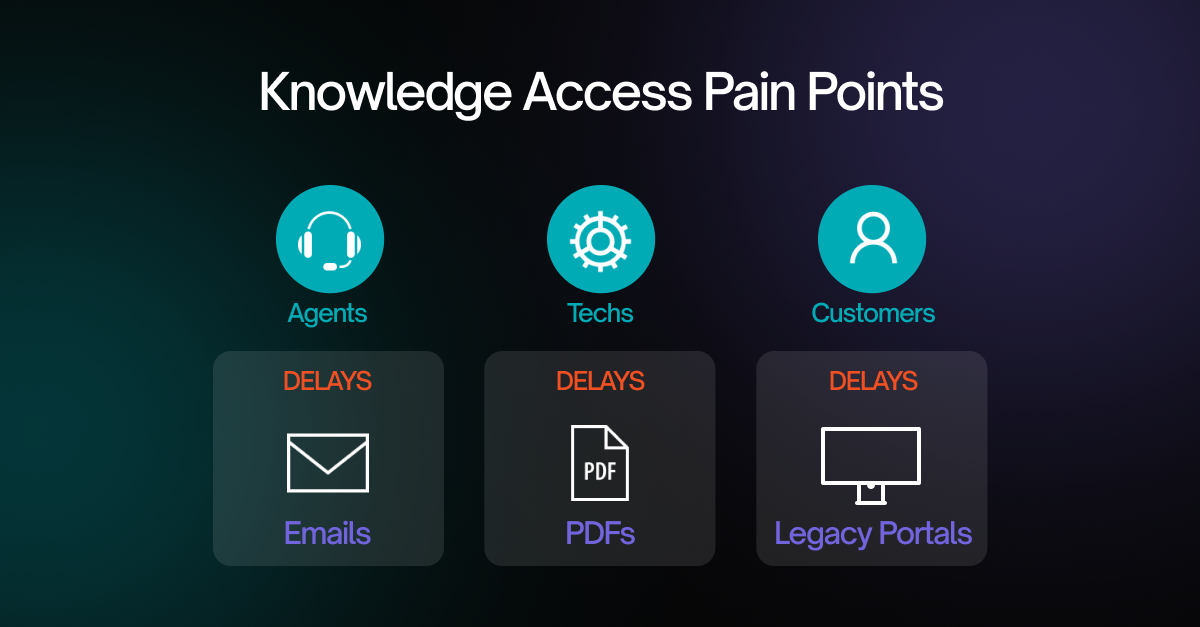
Organizations today face unprecedented amounts of information scattered across emails, cloud storage, legacy systems, and employee minds. When information isn’t organized or accessible, it leads to miscommunication, duplicate work, and poor customer experiences.
This disorganization becomes especially problematic in customer service, HR, IT, and sales, where timely and accurate knowledge is vital. Employees waste valuable time searching for answers or repeating work someone else has already completed. Meanwhile, customers grow frustrated waiting for support agents who are scrambling to find what they need.
That’s where a knowledge management system (KMS) becomes essential. It provides a central place to collect, structure, and distribute knowledge, transforming disconnected data into useful, findable content.
A well-designed KMS improves operational efficiency, reduces support costs, enhances employee productivity, and empowers users with self-service capabilities. It can also support knowledge retention, helping teams preserve institutional know-how even as staff change.
As more organizations adopt remote or hybrid work models and deliver 24/7 customer support, knowledge sharing must be seamless and scalable. Investing in the right knowledge infrastructure is part of a comprehensive business growth strategy.
Key Features of a Modern Knowledge Management System
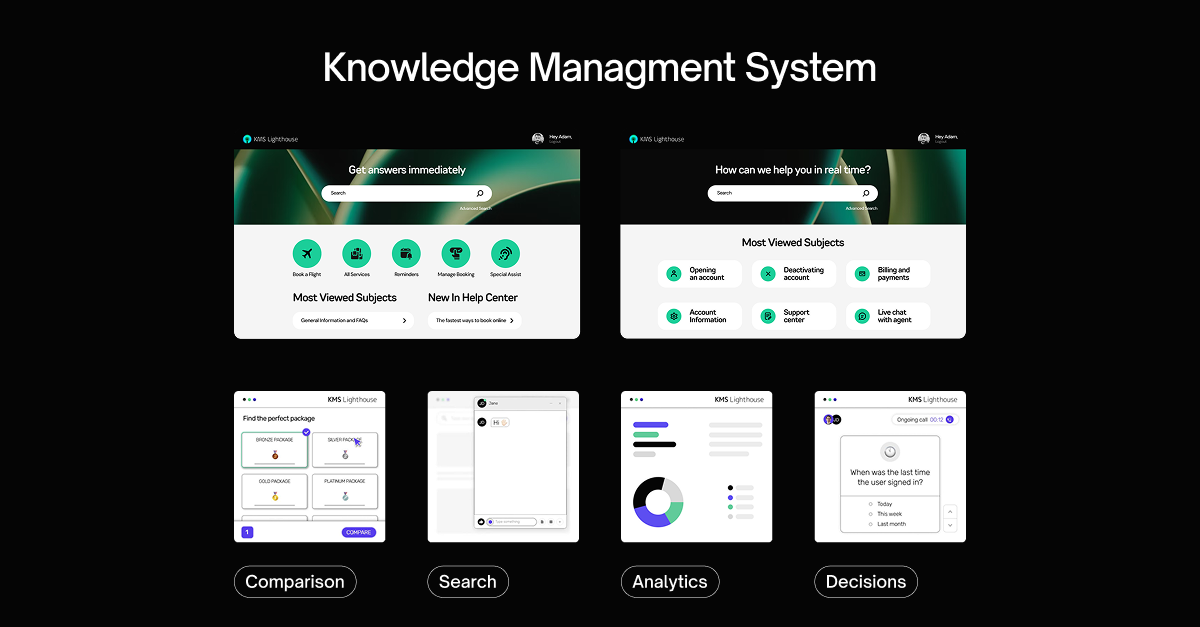
Today’s knowledge management software goes beyond simple document storage. It provides a dynamic environment where knowledge is continuously created, edited, and accessed. Here are the most important features to look for:
- Smart Search and Natural Language Processing:
Modern KMS platforms use AI-powered search that understands natural language, allowing users to type questions as they would speak them. This eliminates the need for perfect keywords and delivers fast, relevant results, dramatically reducing the time spent hunting for answers.
- Mobile Optimization:
A responsive, mobile-friendly interface ensures that users can access knowledge resources seamlessly on smartphones, tablets, or laptops. Whether working in the field, at home, or on the go, employees and customers can retrieve accurate information anytime without being tied to a desktop.
- Role-Based Access:
Granular permissions allow administrators to control who can view, edit, or publish specific content. This helps protect sensitive information, ensures relevance for different user roles, and makes the platform more secure and personalized for departments, regions, or individual teams.
- Feedback Loops:
Users can rate articles, leave comments, or suggest corrections directly within the KMS. This continuous feedback loop helps keep content accurate, relevant, and easy to understand, encouraging a collaborative environment where knowledge is constantly refined and improved by real-world usage.
- Content Authoring Tools:
Built-in editors let subject matter experts create and update knowledge articles, training guides, how-to videos, and FAQs without needing specialized design or IT help. Version control, formatting tools, and publishing workflows make it easy to manage content quality across teams.
- Content Lifecycle Management:
Automated workflows flag outdated or underperforming content for review, revision, or removal. This helps organizations maintain a clean, accurate, and up-to-date knowledge base, reducing the risk of misinformation and ensuring users always see the most current information available.
- Third-Party Integrations:
A good KMS connects seamlessly with existing tools like Salesforce, Microsoft Teams, Zendesk, and Dynamics 365. These integrations bring knowledge into the user’s workflow, reducing friction and enabling employees to access answers directly within the systems they already use daily.
- Reporting and Analytics:
Built-in dashboards provide insights into content performance, search trends, and user behavior. Organizations can see which articles are popular, which questions go unanswered, and where to improve, allowing for data-driven decisions that enhance both user experience and knowledge quality.
These capabilities make a KMS an active part of day-to-day work, not just a static repository.
Benefits of Implementing a Knowledge Management System
For Employees
Employees benefit from faster access to the information they need to do their jobs. A good KMS reduces the time they spend searching for policies, procedures, or technical support. It improves onboarding by giving new hires immediate access to training resources, and it fosters collaboration by making knowledge easily shareable across departments.
Increased visibility into documented best practices empowers employees to make faster decisions and feel more confident in their work. The result is higher productivity, stronger team alignment, and lower frustration.
For Customers
From the customer’s perspective, a KMS often powers self-service experiences. Whether through searchable help centers, intelligent chatbots, or guided troubleshooting tools, customers can resolve issues without waiting for live support.
And when human assistance is needed, support agents armed with up-to-date knowledge can respond more quickly and accurately. This leads to shorter call durations, higher first-contact resolution, and greater customer satisfaction.
Customers increasingly expect these capabilities as studies show that nearly 70% now prefer self-service tools over phone calls or emails.
For the Business
On a strategic level, a knowledge management system reduces operational costs by streamlining communication and eliminating duplicate work. It also safeguards intellectual capital by documenting knowledge that would otherwise leave with departing employees.
With accurate, real-time information available across the company, leadership can make faster, more informed decisions. This improves organizational agility and supports initiatives from product development to compliance.
Perhaps most importantly, a robust KMS supports both EX and CX, creating a competitive edge in industries where speed and quality of service matter most.
Common Use Cases Across Departments
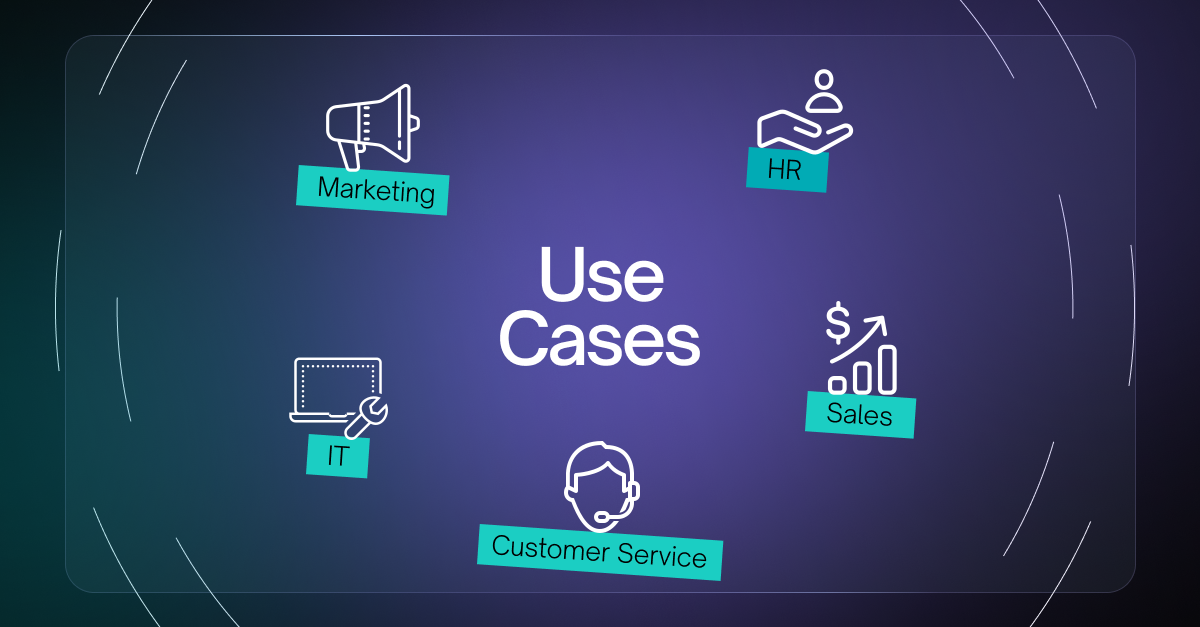
A knowledge management system isn’t just for IT or support teams. Nearly every department can benefit:
Customer Service
Call centers rely on fast access to policies, product documentation, and troubleshooting guides. A KMS helps agents resolve issues quickly and accurately, improving customer experiences while reducing handle time.
Human Resources
HR teams use KMS platforms to centralize employee handbooks, benefits information, compliance policies, and onboarding documentation. This reduces repetitive inquiries and improves transparency across the organization.
IT and Technical Support
KMS tools help IT teams document workflows, known errors, and configuration settings. Whether used internally or exposed to end users, this documentation speeds up resolution times and decreases ticket volume.
Sales and Marketing
Sales teams gain access to competitive intelligence, objection-handling playbooks, and messaging frameworks. Marketing departments can maintain a library of brand guidelines, campaign templates, and strategy docs—all in one place.
When every department contributes to and uses the system, the entire organization becomes more aligned and efficient.
Knowledge Management Onboarding Process
Implementing a knowledge management system is a process. Here are the foundational steps:
1. Knowledge Collection
Knowledge collection is the foundation of any successful knowledge management process. It involves identifying valuable information across internal documents, employee experience, customer interactions, training materials, and existing databases. Input from subject matter experts is especially important. Organizations may use surveys, interviews, forms, or collaborative workshops to uncover insights. Capturing knowledge at means important know-how doesn’t remain siloed or lost when employees leave or roles change.
2. Knowledge Organization
Once information is collected, it needs to be categorized in a structured and logical format. This step involves defining taxonomies, tags, and folders that reflect how users naturally search for content. Organizing knowledge by department, function, or topic area helps minimize duplication and improves retrieval. A well-structured KMS allows employees to find what they need quickly, without sorting through irrelevant results. Proper organization also supports better access control and easier content maintenance over time.
3. Knowledge Summarization
Knowledge summarization turns complex or scattered information into digestible, easy-to-understand formats. Instead of forcing users to sift through lengthy documents, summarized knowledge provides direct value, such as checklists, FAQ entries, or visual guides. This step makes content more user-friendly and supports quick decision-making in real-time scenarios. Summarized knowledge also allows organizations to maintain consistency in communication while improving content engagement and readability, especially for customer-facing resources that must be fast and clear.
4. Knowledge Analysis
Analyzing how users interact with content reveals which knowledge assets are effective and which need improvement. Metrics like search frequency, bounce rates, time on page, and failed queries help identify content gaps and usability issues. This step allows organizations to see what questions remain unanswered, what information is outdated, and what trends are emerging across user needs. Continuous analysis drives data-backed decisions that keep the knowledge base aligned with actual behavior and demand.
5. Knowledge Synthesis
Synthesis brings together insights from different departments, data points, and content sources to generate strategic knowledge. It involves identifying patterns, drawing connections, and extracting meaning from raw information. This may result in new policies, workflow improvements, training programs, or customer engagement strategies. Synthesizing knowledge turns static content into actionable intelligence. It enables the organization to go beyond storing facts, to using those facts to drive innovation, make proactive decisions, and improve business outcomes.
6. Knowledge Application
Knowledge becomes most valuable when it’s used effectively in day-to-day operations. This step focuses on delivering the right information at the right time through channels like search tools, chatbot integrations, automated notifications, or contextual help within software. Whether serving employees, partners, or customers, knowledge must appear where it’s needed without extra effort. Applied knowledge reduces task completion time, boosts accuracy, and empowers users to act with confidence, turning your KMS into a performance-driving engine.
Following these steps turns knowledge from a static asset into a living, breathing resource that drives performance.
Self-Service Knowledge Tools
- Knowledge Portals
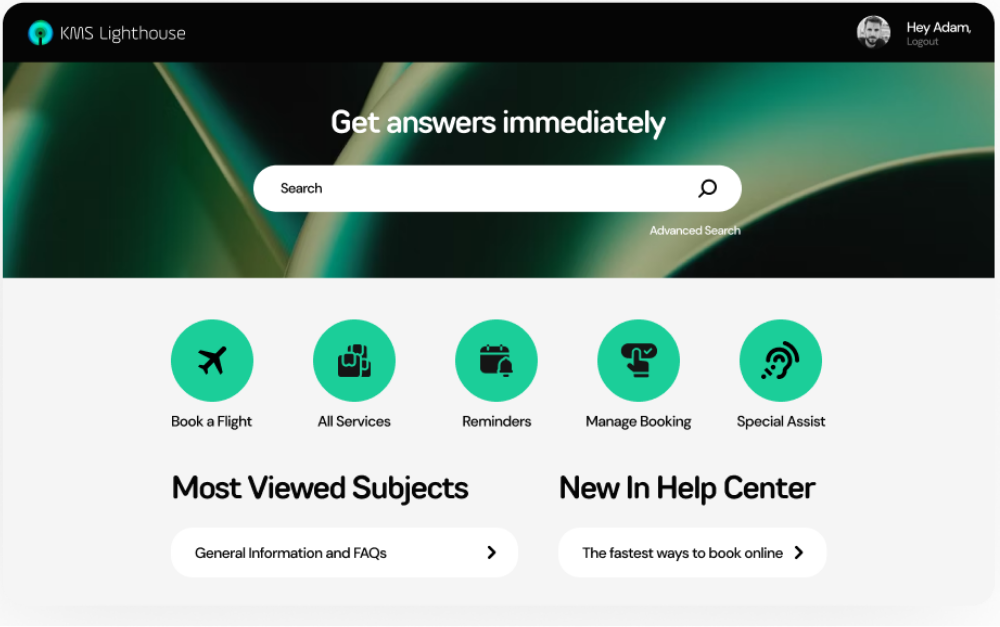
Self-service portals are a cornerstone of customer and employee empowerment. They provide 24/7 access to information, allowing users to resolve issues without waiting for human assistance.
Common features include searchable FAQs, troubleshooting guides, video tutorials, and account support. When designed well, they reduce inbound requests and increase customer satisfaction.
A growing number of consumers prefer self-service and over 70% expect brands to offer it on their websites. A centralized KMS supports these portals by feeding them reliable, structured content that’s easy to find.
- Virtual Assistants and Chatbots
Virtual assistants use natural language processing to provide instant support. They can guide users through tasks, answer common questions, and even escalate to human agents when needed.
Unlike simple chatbots, virtual assistants can handle multi-step requests and retain context throughout the interaction. They’re accessible across channels like chat, email, SMS, or voice, and provide consistent support 24/7.
KMS platforms like KMS Lighthouse power these assistants by connecting them to a trusted knowledge source. This ensures responses are accurate, on-brand, and continuously updated.
Integrating a KMS With Your Existing Tech Stack
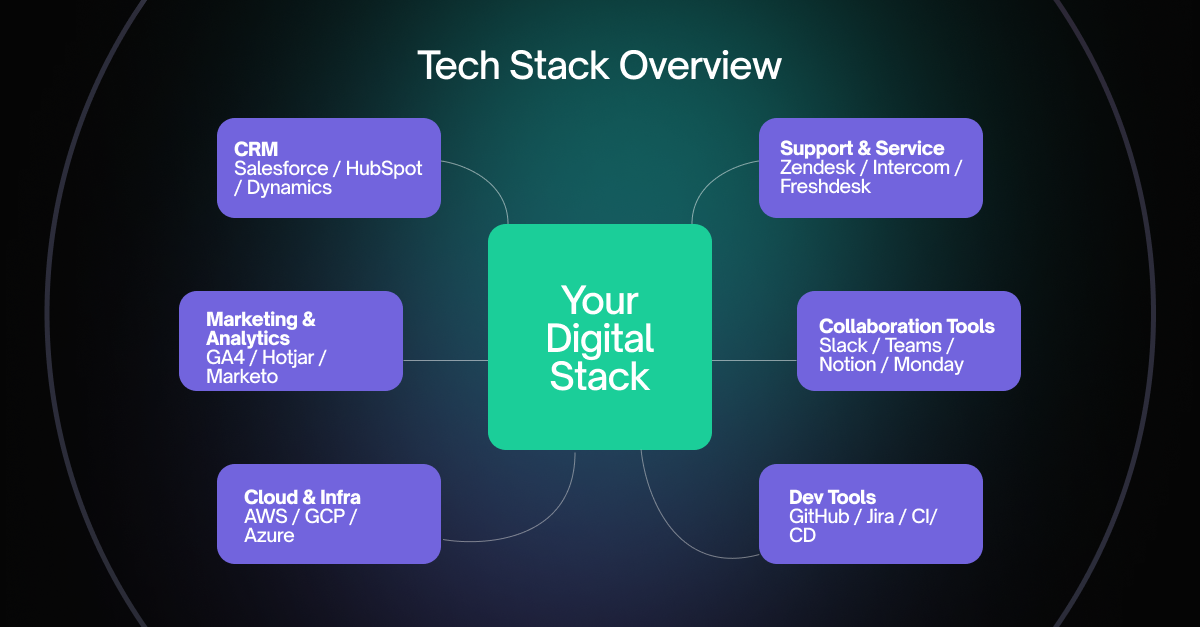
For a knowledge management system to be effective, it must fit seamlessly into the tools your teams already use. That’s why modern KMS platforms offer flexible integrations.
Popular integrations include:
- CRM platforms like Salesforce and HubSpot to give sales and support teams in-context answers
Integrating your KMS with CRM platforms like Salesforce and HubSpot allows sales and service teams to access knowledge directly within customer profiles. This context-sensitive approach improves response times, reduces data switching, and helps staff deliver more accurate, personalized support during live customer interactions or deal management.
- Support software like Zendesk, Genesys, and Freshdesk to power help desks and ticketing workflows
When integrated with platforms like Zendesk, Genesys, or Freshdesk, a KMS automatically surfaces relevant knowledge articles during the ticketing process. This enables agents to resolve issues faster, improves first-contact resolution, and reduces escalations, while maintaining consistency across email, chat, and phone support channels within a familiar workspace.
- Collaboration tools like Microsoft Teams, Slack, and Google Workspace to embed knowledge into daily communication
Embedding knowledge directly into tools like Microsoft Teams, Slack, and Google Workspace makes it easy for employees to find answers without leaving their workflow. Teams can search for documentation, share links, and collaborate on updates—all within the platforms they use daily for meetings, chat, and project coordination.
- HRIS and LMS systems to support onboarding and training
Integrating your KMS with HR information systems (HRIS) and learning management systems (LMS) centralizes access to onboarding guides, training modules, and policy updates. New employees can find answers quickly, track their progress, and get up to speed faster—while HR teams streamline training delivery and compliance documentation.
APIs and middleware solutions allow custom integrations for industry-specific applications. This ensures that the right knowledge appears in the right place, without users needing to switch tools or duplicate work.
When properly integrated, a KMS becomes the knowledge backbone of your tech ecosystem.
Knowledge Management Best Practices
To make the most of your knowledge management system, consider these best practices:
- Promote a culture of sharing: Encourage employees to contribute to the knowledge base regularly.
- Keep content fresh: Assign content owners and review cycles to maintain accuracy.
- Use analytics to drive updates: Identify gaps or outdated content through user behavior and feedback.
- Make it easy to use: A clean interface and intuitive search go a long way in boosting adoption.
- Tailor access: Use permissions to surface the right information to the right users.
- Train your team: Ensure contributors know how to create, edit, and tag content properly.
These habits help your KMS grow as a sustainable, evolving asset, not a static filing cabinet.
Common Knowledge Management Challenges
Even the best tools face obstacles. Here are some common KMS challenges and how to address them:
- Low adoption: If users don’t see value, they won’t engage. Fix this by integrating the KMS into daily workflows and demonstrating quick wins.
- Outdated content: Stale or incorrect information erodes trust. Use alerts and review cycles to ensure accuracy.
- Knowledge silos: Some departments may hoard information. Leadership must encourage collaboration and break down barriers.
- Poor searchability: If users can’t find what they need, they’ll stop trying. Invest in smart search tools and organize content effectively.
Addressing these pain points early improves the system’s long-term success.
Which Knowledge Management Option Is Right for You?
Choosing a KMS starts with your goals. Map the top use cases you need to support and match them to capabilities, not features in isolation.
Consider team size, number of service channels, content governance needs, languages, and compliance requirements. Look at how the platform fits your daily workflow, the quality of search, and how analytics guide continuous improvement. Think through implementation effort, content migration, and the training plan that will help teams adopt the system with confidence.
Who Provides These Services?
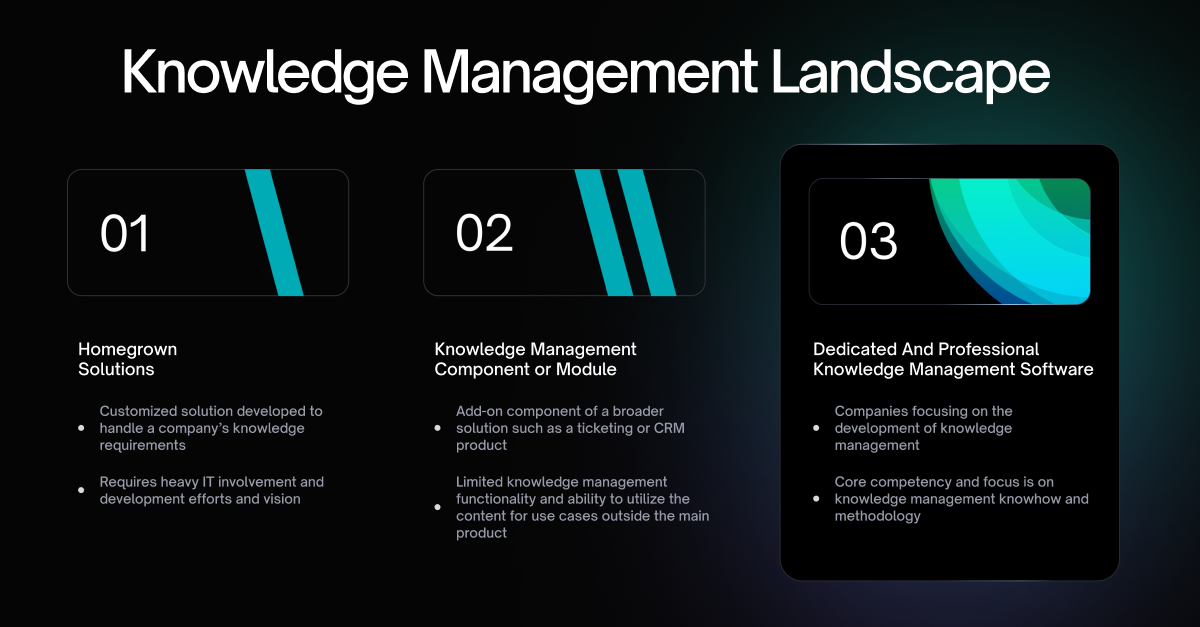
KMS providers generally fall into three groups.
• Enterprise platforms designed for complex operations, large teams, multiple regions, and strict governance.
• Mid market tools that balance breadth with simpler administration.
• Lightweight or open source options that favor quick setup for focused teams.
KMS Lighthouse is a provider in the enterprise category. It focuses on organizations that need consistent answers across many channels, strong authoring and approval workflows, and analytics that guide content upkeep at scale. There are other options that may be a better fit for smaller teams or narrower use cases, so align the choice to your size, risk profile, and integration needs.