Key Takeaways
- Chatbots depend on accurate and organized knowledge systems
- Poor knowledge quality leads to inaccurate chatbot responses
- Structured integration improves answer relevance and consistency
- Ongoing maintenance is required after deployment
- AI performs better when connected to reliable documentation
Chatbots have become a standard part of customer support, internal operations, and employee self service. The problem is that many chatbots still fail to provide useful answers because they rely on incomplete or outdated information.
A chatbot can only perform well when it has access to accurate and structured knowledge. Without that foundation, responses become inconsistent, irrelevant, or incorrect. This is why knowledge base chatbot integration has become such an important priority for organizations investing in AI driven support systems.
Recent findings from Salesforce customer service research show that customers increasingly expect faster self service support experiences. This shift has pushed organizations to improve how chatbots retrieve and deliver information across digital channels.
Why Your Chatbot Is Only as Smart as Your Knowledge Base
A chatbot does not create knowledge on its own. It retrieves information from the systems connected to it. If the underlying documentation is incomplete, outdated, or poorly organized, the chatbot will return weak answers.
This is why knowledge base chatbot integration matters so much. The quality of chatbot performance depends directly on the quality of the information available inside the knowledge system.
Problems Caused by Weak Knowledge Structures
- Outdated answers create customer frustration
- Inconsistent documentation produces conflicting responses
- Missing content leaves the chatbot unable to answer questions
- Poor organization makes retrieval slower and less accurate
A chatbot connected to weak documentation often creates more problems instead of reducing workload.
Strong documentation structure improves chatbot performance because information becomes easier to retrieve and interpret. This is one reason many organizations are focusing on building a stronger knowledge base chatbot environments before expanding automation initiatives.
Another important factor is consistency. When documentation follows shared formatting and structure rules, chatbot responses become more predictable across customer interactions.
Organizations also improve long term chatbot performance by maintaining documentation environments that support strong knowledge bases across customer service operations.
Knowledge base chatbot integration also improves employee efficiency because support teams spend less time searching for information manually. Instead of switching between systems, employees and customers receive direct answers through the chatbot interface.
Research from HubSpot customer experience data shows that customers increasingly prefer immediate responses when seeking support. This increases pressure on organizations to maintain accurate and accessible chatbot knowledge systems.
How Knowledge Base and Chatbot Integration Works
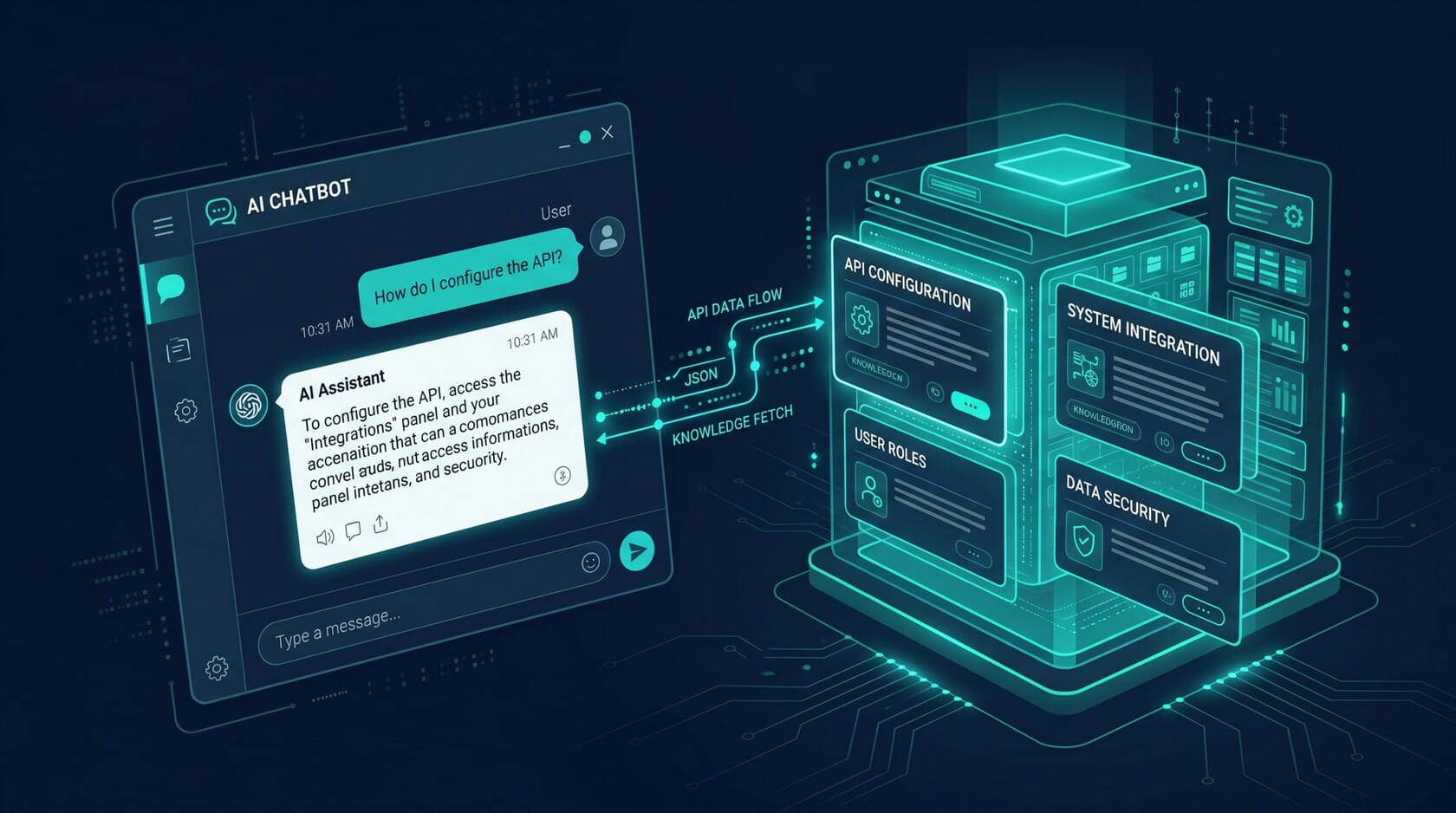
Many organizations assume chatbot integration is highly technical, but the basic concept is simple. The chatbot connects to a knowledge source, retrieves information, and delivers responses based on user questions.
Knowledge base chatbot integration usually works through one of three approaches.
Native Integration
A native integration happens when the chatbot platform already includes built in support for the knowledge system. Both systems communicate directly without requiring separate tools.
This approach is often easier to manage because setup and maintenance are simpler.
API Based Integration
API integrations allow the chatbot to request information from external systems in real time. When a user asks a question, the chatbot sends a request to the knowledge base and retrieves the most relevant answer.
This approach offers greater flexibility and supports more complex environments.
Connector Based Integration
Connector based systems use middleware or integration tools to link platforms together. These connectors allow information to move between systems without requiring custom development.
This method is often used when organizations operate across several disconnected platforms.
Simple Architecture Overview
A basic integration structure usually works like this:
- A user asks a question through the chatbot
- The chatbot analyzes the question
- The chatbot searches the connected knowledge base
- The system retrieves the best matching answer
- The chatbot delivers the response back to the user
This process happens within seconds during a live interaction.
Organizations that integrate knowledge base with chatbot systems successfully often focus heavily on documentation quality before deployment begins.
Modern AI systems also support advanced retrieval strategies that improve response accuracy across large documentation environments. Teams evaluating automation strategies often examine the pros and cons of implementing LLMs while planning long term chatbot architecture across enterprise knowledge systems.
Knowledge base chatbot integration becomes far more effective when content is accurate, searchable, and consistently structured across the entire knowledge environment.
What Makes a Knowledge Base Chatbot Ready?
A chatbot performs best when the knowledge base behind it is structured clearly and maintained consistently. Even advanced AI systems struggle when documentation is incomplete, outdated, or poorly organized.
A chatbot ready knowledge base focuses on clarity, consistency, and accessibility. Content must be easy for both humans and AI systems to understand.
Important Content Characteristics
- Short and focused articles
- Clear headings and formatting
- Consistent terminology across documentation
- Accurate procedures and policy details
- Search friendly language that matches user questions
A strong knowledge base for chatbots also separates different topics clearly. When multiple ideas are combined into one article, retrieval accuracy becomes weaker.
Formatting matters as well. Long paragraphs and inconsistent writing styles make it harder for chatbot systems to locate the best answer.
Content should also reflect how users naturally ask questions. If customers ask about billing problems, password resets, or shipping issues, documentation should include those same phrases inside the content structure.
Organizations that support strong chatbot knowledge management environments usually maintain shared writing standards across teams. This keeps documentation consistent as the knowledge base grows.
Another important factor is update frequency. AI systems depend on current information. When policies or procedures change, documentation must update quickly so the chatbot continues returning accurate responses.
Knowledge base chatbot integration performs best when documentation remains structured, searchable, and actively maintained over time.
Step by Step: How to Integrate Your Knowledge Base With Your Chatbot
A successful integration process begins long before the chatbot goes live. Organizations first need to review the quality of their documentation before connecting systems together.
Step 1: Review Existing Documentation
Start by identifying outdated, duplicated, or incomplete content. A chatbot can only retrieve information that already exists inside the knowledge environment.
This stage often reveals major content gaps that should be corrected before integration begins.
Step 2: Organize Content Structure
Content should be grouped logically by topic, workflow, or customer issue.
Important improvements often include:
- Standardized article formatting
- Clear naming conventions
- Consistent terminology
- Better search organization
This structure improves retrieval accuracy once the chatbot becomes active.
Step 3: Select an Integration Method
Organizations usually choose between native integration, API integration, or connector based integration depending on system complexity.
Native integrations are often easier to maintain. API based approaches provide more flexibility across larger environments.
Step 4: Train the Chatbot
After systems connect, the chatbot begins indexing documentation and learning how to retrieve answers.
This stage includes testing common customer questions and verifying response accuracy.
Organizations that build scalable chatbot systems often strengthen retrieval quality by improving the way they build a chatbot for a knowledge base across connected support environments.
Step 5: Launch and Monitor Performance
Once testing is complete, the chatbot can begin supporting live users.
Knowledge base chatbot integration should continue evolving after launch through ongoing monitoring and optimization.
How to Maintain Quality After Integration Goes Live
Many organizations focus heavily on deployment but overlook long term maintenance. This creates problems because chatbot performance declines when documentation quality weakens over time.
Ongoing maintenance keeps chatbot responses accurate and reliable.
Content Review Cycles
Regular review schedules help teams identify outdated information before it creates problems.
Review processes often include:
- Scheduled article validation
- Approval workflows for updates
- Archiving outdated procedures
- Monitoring policy changes
This keeps documentation aligned with current operations.
Monitoring Failed Queries
Failed query logs are one of the most valuable tools after deployment.
When the chatbot cannot answer a question correctly, the failed query highlights missing or weak content inside the knowledge base. Teams can then create new documentation to close those gaps.
Knowledge base chatbot integration improves significantly when organizations treat failed queries as opportunities to strengthen the knowledge environment.
Maintaining Answer Accuracy
Accuracy monitoring should continue after launch.
Organizations often track:
- Incorrect responses
- Escalation rates
- User feedback scores
- Search success rates
This helps identify where the chatbot is performing well and where improvements are needed.
Keeping Documentation Synchronized
Products, policies, and workflows change constantly. If the knowledge base does not stay synchronized with those changes, chatbot accuracy quickly declines.
Organizations that maintain reliable chatbot performance usually establish shared ownership between operations teams, documentation teams, and support leaders.
Knowledge base chatbot integration remains effective only when content maintenance becomes part of ongoing operational workflows instead of a one time project.
Building Smarter Chatbot Experiences Through Better Knowledge
Knowledge base chatbot integration works best when organizations focus on structured documentation, consistent maintenance, and accurate retrieval systems. A well connected chatbot environment improves response quality, supports faster self service experiences, and creates more reliable interactions across customer support operations.
FAQs
A chatbot connected to a knowledge base retrieves live information from structured documentation systems. A standalone chatbot relies mainly on predefined responses or scripted logic, which limits flexibility and accuracy during complex interactions.
Organizations prevent outdated responses by maintaining regular content review cycles, monitoring failed queries, and updating documentation quickly when policies or workflows change. Ongoing maintenance is essential for long term accuracy.
Platforms with strong API support, structured search capabilities, and AI driven retrieval systems usually provide the strongest chatbot integration environments. The best choice depends on existing infrastructure and documentation complexity.
Teams usually test chatbot accuracy by submitting common customer questions, reviewing response quality, monitoring escalation rates, and analyzing failed queries after deployment.
When no answer is available, the chatbot should escalate the conversation to a human agent or provide fallback guidance. Failed queries should also be logged so missing content can be added later.